


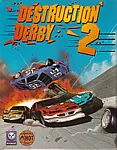
Overview
Compete in high-impact stock-car races and demolition arenas where vehicle damage is part of the fun. Smash rivals and struggle to keep your battered car moving.
Play with the community
Visit the Web Lobby to find the game, check available rooms and coordinate with other players. A compatible installation of the game may be required.
How to play Destruction Derby 2 online Multiplayer using IPX Web Lobby on www.siljo-planet.net.
Game needs Npcap, Dosbox Daum
Dosbox IPX instructions are HERE.
You Need To Install Windows 95 in your Dosbox.
Just extract, change name and play using HOST.bat or JOIN.bat.
Dosbox with .ini files is available for download HERE.
Just extract and play using HOST.bat or JOIN.bat.
Dosbox IPX and NullModem structure::
D:\DosBox\dosbox.exe
D:\DosBox\Daum\dosbox.exe -> DosBox for 3DFx Games
D:\DosBox\GAMES\ -> Games Folder
D:\DosBox\start\network_run.bat -> SERVER
D:\DosBox\start\cfg\ -> .ini Files
D:\DosBox\3DfX\dosbox.exe -> DosBox for 3DFx Games
dd2_base.conf: on first run!
ne2000=true
nicbase=260
nicirq=3
macaddr=AC:DE:48:88:99:AA
realnic=list
then change realnic=list to your realnic number ( aka.5 )
ne2000=true
nicbase=260
nicirq=3
macaddr=AC:DE:48:88:99:AA
realnic=5
each player needs different macaddr!
ne2000=true
nicbase=260
nicirq=3
macaddr=AC:DE:48:88:99:AB
realnic=5
dd2.ini on first run:
NETWORK_MODE=none
FULLSCREEN=0
NOCONSOLE=0
EXIT_ON_END=1
When you have your real nic number
NETWORK_MODE=none
FULLSCREEN=1
NOCONSOLE=1
EXIT_ON_END=1
Game uses Dosbox Daum IPX and Ne2000 IPX connection using Npcap