


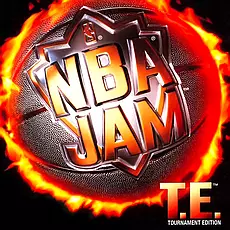
Overview
Play over-the-top two-on-two basketball with huge dunks, exaggerated physics and arcade energy. String together baskets to go on fire and dominate the court.
How to play online — DOSBox Screen Mirror
NBA Jam Tournament Edition uses DOSBox Screen Mirror Netplay in the IPX Web Lobby. This is a shared-screen session, not a native IPX multiplayer connection. The host runs the DOS game in DOSBox and shares its video with joining players; player input is sent to the host.
The lobby specifies UDP for input and TCP for video. Open the required ports in your firewall/router. Coordinate the game session and control hand-offs with the other players in the room.
This is a 2 player game
Only Player 1 needs original game!
The lobby specifies UDP for input and TCP for video. Open the required ports in your firewall/router. Coordinate the game session and control hand-offs with the other players in the room.
How to play NBA Jam Tournament Edition online Multiplayer using IPX Web Lobby on www.siljo-planet.net.
Game needs DosBox or DosBox SVN
Dosbox IPX instructions are HERE.
Dosbox with .ini files is available for download HERE.
Custom Files are available for download HERE.Just extract in your game folder and play using HOST.bat or JOIN.bat.
Dosbox IPX and NullModem structure::
D:\DosBox\dosbox.exe
D:\DosBox\Daum\dosbox.exe -> DosBox for 3DFx Games
D:\DosBox\GAMES\ -> Games Folder
D:\DosBox\start\network_run.bat -> SERVER
D:\DosBox\start\cfg\ -> .ini Files
D:\DosBox\3DfX\dosbox.exe -> DosBox for 3DFx Games